Course Maintenance - Linked Courses tab
Use the Linked Courses tab to view courses that share a link with the current course, including:
- the current course
- the main course - the course that the current course feeds into
- other linked courses:
- courses that feed into the current course
- courses that feed into the main course.
 Opening the Linked Courses tab
To open the Linked Courses tab:
- Select Module > Students or Assessments > Course Maintenance from the main menu.
The Set Course Search Criteria window is displayed.
Tip: You can also access the course functions by clicking  or
or  .
.
- Search for the course. See Searching for courses.
The General tab of the Course Maintenance window is displayed.
- Click the Linked Courses tab.
The Linked Courses tab of the Course Maintenance window is displayed.
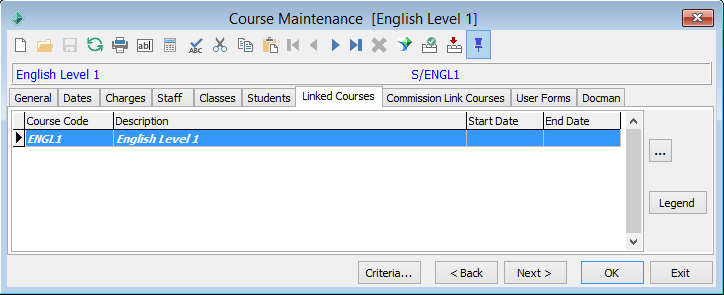
Course Maintenance - Linked Courses tab key fields and buttons
Fields
Field
|
Description
|
|
|
Unique identifier for the course.
|
|
|
Course's description as defined in the General tab. See Course Maintenance - General tab.
|
|
|
Date the course commences.
|
|
|
Date the course finishes.
|
Buttons
Button
|
Description
|
|
|
Launches the Course Maintenance window for the selected course.
|
|
|
Launches the Linked Courses Legend window. This shows the meaning of the different font styles used in the grid.
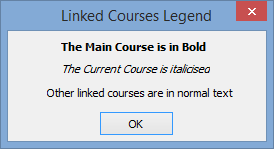
- The main course is the course that other courses feed into.
- The current course is the course currently being viewed in the Course Maintenance window.
- Other linked courses are courses that also link to the Main Course.
|
Last modified: 4/10/2012 12:01:57 PM
© 2015 Synergetic Management Systems. Published 6 May 2015.


.gif)